

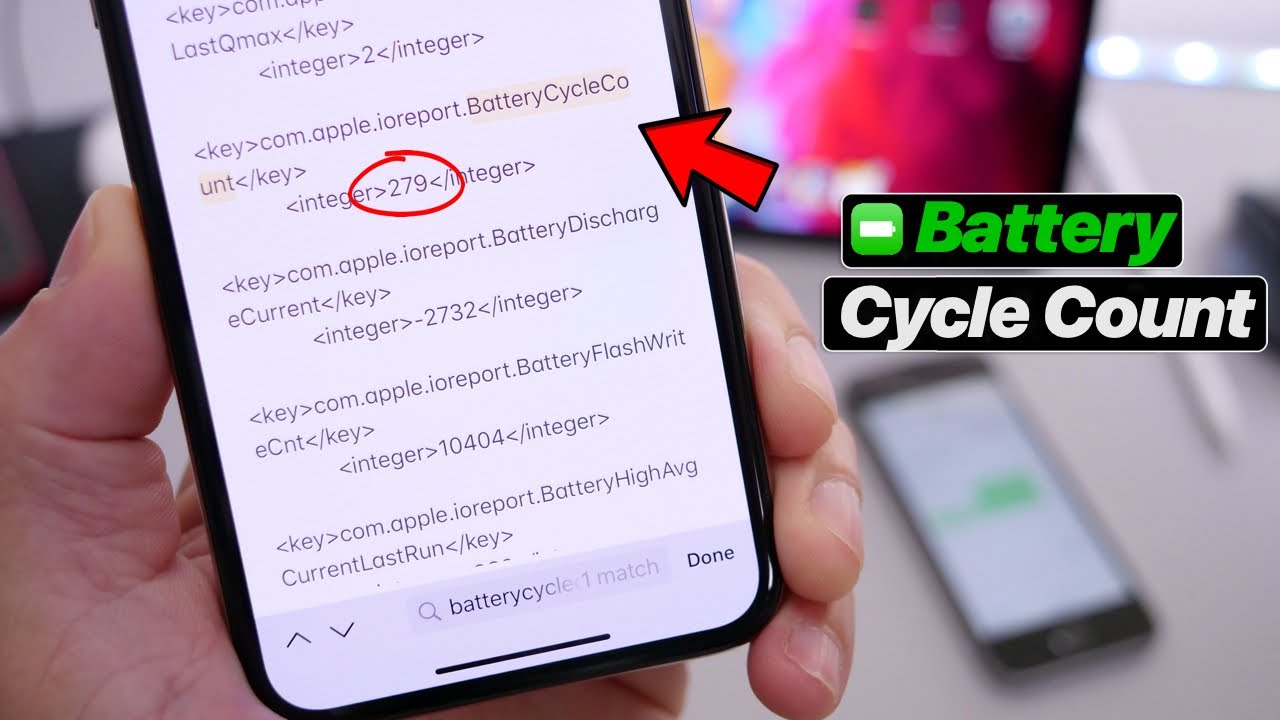
If you’ve ever wondered what is cycle count in iphone, it refers to the number of complete charge cycles your battery has gone through. One full cycle equals charging from 0% to 100%, but it does not have to happen all at once; for example, charging from 50% to 100% twice counts as one cycle.
Apple designs iPhone batteries to retain up to 80% of their original capacity at 500 charge cycles for most models (1000 cycles for iPhone 15 and later). Once you pass those thresholds, battery health degrades faster and you may notice shorter battery life.
How to Check Cycle Count on iPhone
Apple does not show cycle count directly in Settings for most iPhones. Here are your options:
- Go to Settings > Privacy & Security > Analytics & Improvements > Analytics Data.
- Look for a file starting with ‘Analytics’ followed by today’s date.
- Open the file and search (Ctrl+F or scroll) for the term ‘cyclecount’.
- The number next to it is your battery cycle count.
Alternatively, on Mac: Connect your iPhone, open System Information (About This Mac > More Info > System Report), navigate to USB, select your iPhone, and look for ‘Cycle Count’ in the details panel.
Battery Health vs Cycle Count
| Cycle Count | Estimated Battery Health | What You Might Notice | Action Needed? |
|---|---|---|---|
| 0 – 200 | 95% – 100% | Normal battery life | No action needed |
| 200 – 400 | 88% – 95% | Slightly shorter battery life | Monitor only |
| 400 – 500 | 80% – 88% | Noticeable drain, may throttle | Consider replacement soon |
| 500 – 800 | Below 80% | Significant drain, shutdowns possible | Replace battery |
| 800+ | Below 70% | Poor battery life, frequent charging | Replace immediately |
When Should You Replace Your iPhone Battery?
Apple recommends battery replacement when capacity drops below 80%. You can check this directly in Settings > Battery > Battery Health & Charging. If it reads below 80%, replacement is worthwhile.
- Cost: Apple charges around $99 for an out-of-warranty battery replacement.
- Third-party repair shops offer replacement for $50-$70, though this may void remaining warranty.
- iPhone 15 and later have a 1000-cycle warranty before significant degradation is expected.
Tips to Extend Your Battery Life
- Avoid charging to 100% every night. Keeping your battery between 20% and 80% extends its lifespan.
- Enable Optimized Battery Charging in Settings > Battery > Battery Health & Charging.
- Avoid leaving your phone in hot cars or direct sunlight. Heat is the biggest enemy of lithium-ion batteries.
- Do not let your battery drain to 0% regularly. Deep discharges stress the battery.
Your iPhone cycle count is a useful health metric, but it is only one piece of the picture. Pair it with the Battery Health percentage in Settings for a complete view of where your battery stands.
